Showing posts with label iPads. Show all posts

Monday, February 27, 2017

Emergent Learning in the Early Years: Digital and Deliberate

On Thursday, February 9 I had the pleasure of being invited along with Jocelyne Brent to present "Emergent Learning in the Early Years: Digital and Deliberate" for TVO. In this webinar I shared the many ways we purposefully use technology to support, extend, document, and share the inquiries happening in our classroom. For those of you interested, you can view the webinar here:

https://youtu.be/SkwumPSkG3w


For easy location here are some links to the top technologies that I use in our classroom to support play, inquiry, communication and documentation. Click on the title to access links to various blog posts that further describe the technology and how we use it in our classroom.

1.  Children documenting their own learning using iPads.

2.  Using time lapse photography as a documentation tool.

3.  Creating digital documentation panels using iMovie.

4.  Encouraging digital community and voice using Padlet.

5.  The versatility of QR codes to inspire, research, document and share.

6.  Unplugged coding!

7.  Going old school with overhead projectors.

8.  Why Blog?

9.  Technology Buddies and Wordles

10. The Power of Twitter in the Classroom


Saturday, February 11, 2017

Emergent Learning in the Early Years: Digital and Deliberate

On Thursday, February 9 I had the pleasure of being invited along with Jocelyne Brent to present "Emergent Learning in the Early Years: Digital and Deliberate" for TVO. In this webinar I shared the many ways we purposefully use technology to support, extend, document, and share the inquiries happening in our classroom. For those of you interested, you can view the webinar here:

https://youtu.be/SkwumPSkG3w


Wednesday, June 8, 2016

Using QR Codes to Explore Painted Ladies

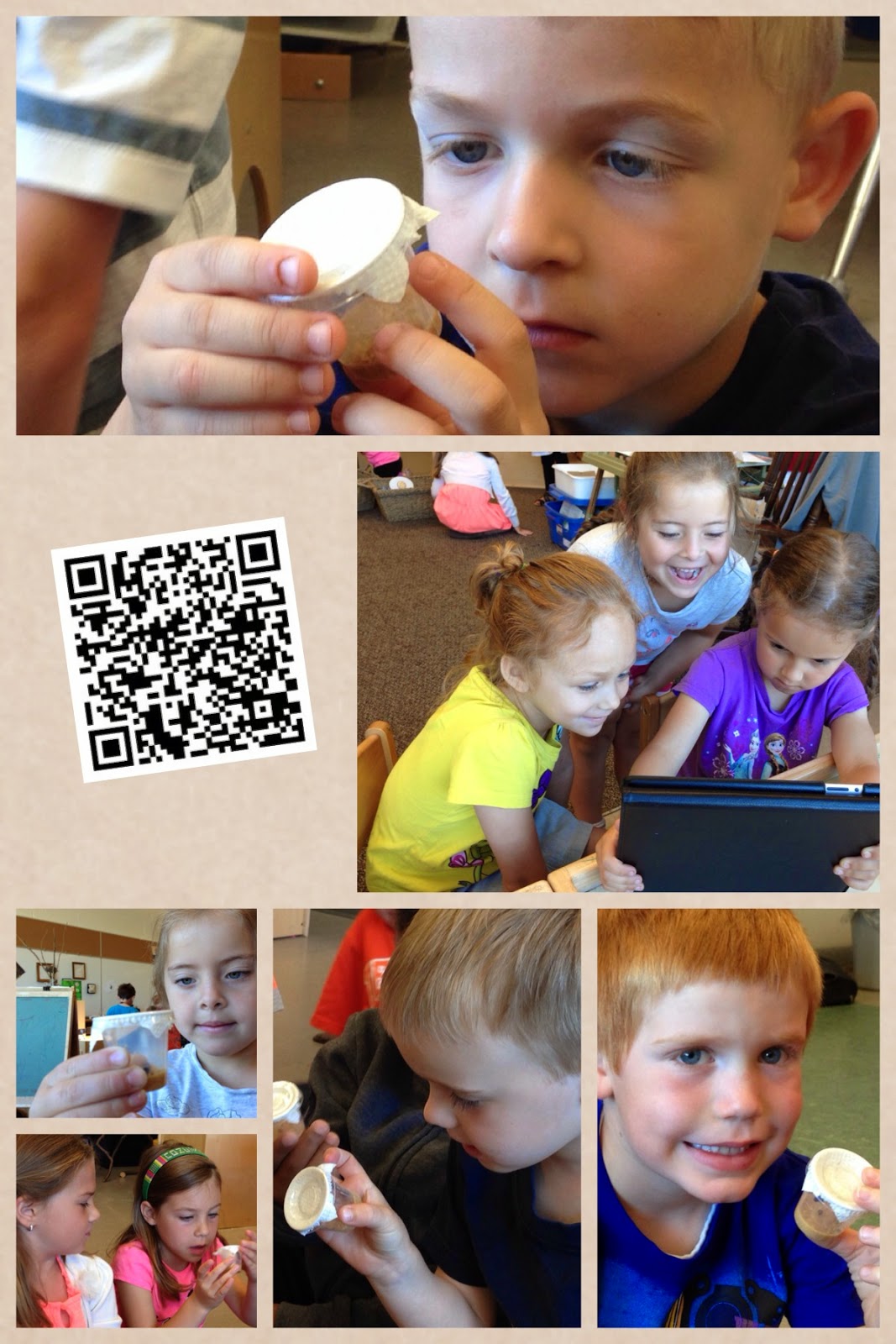
Our children have been busy observing and exploring our Painted Lady Caterpillars in the classroom. Having the opportunity to nurture a caterpillar to butterfly has given children authentic motivation to learn about Painted Ladies as they build empathy and understanding while caring for a living thing.

We are always searching for ways to integrate technology in a meaningful way that helps build our collective knowledge and experience throughout the process of learning. We want technology to compliment and support our emerging understandings and help children see its potential in their work with one another. Because our children love to go on 'hunts' around the room, we set up an activity today that had five cards with corresponding QR codes hidden around the room.

Each code looked like this and had...


...a number to indicate its order, a sentence to describe the life cycle stage being explored, and a QR code leading the child to a video showcasing that stage.  

After a quick refresher on how to use the QR code scanners, children worked in pairs to search the room for the codes, used the app to scan them, and enjoyed the detailed videos highlighting a specific stage of the butterfly's life cycle. What we love about this activity is that children get practice using the QR scanner app, learn how the codes can help access information quickly and easily, and the retrieved videos nicely compliment the text-bound information that we have been relying upon. The videos engage children in a different way than books do and re-energize the children's interest in the caterpillar centre.


We just loved the look of interest and wonder on the children's faces as they carefully watched the videos together. There were many connections as children realized that many of the videos were time lapsed; we have a lot of experience creating our own as part of our documentation explorations.


We are sharing our QR codes for those educators who might be interested in using something similar in the classroom. Just click on the link, print the codes, and use an QR code reader to access the videos. Enjoy!

Wednesday, October 22, 2014

Nature Walks

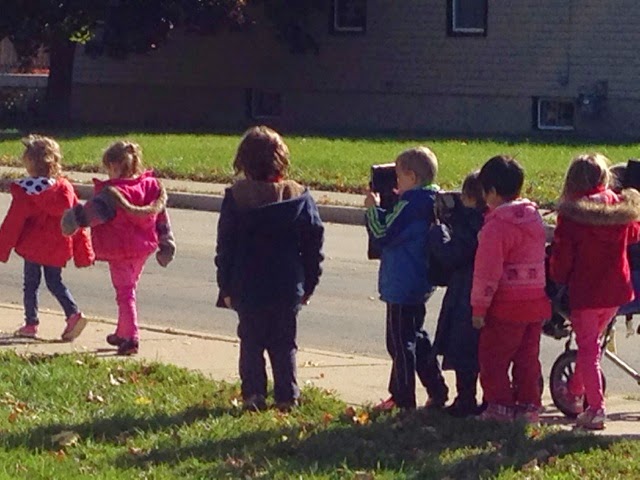
We went on a nature walk today and brought iPads along so the children could take photos and videos of signs of fall.  


Tuesday, June 10, 2014

Technology Buddies

Today we partnered up with the grade eight class in order to do some work on the iPads. We were hoping to train our children on how to use the app Pic Collage and thought buddying them up with an older student would be effective because it would give them scaffolded support with hands-on practice. It was a huge success!  Our children loved working with an older buddy. 

We hoped to make an environmental print alphabet book so we assigned each pair an alphabet letter.  The pairs went on a letter hunt around the school and collected and organized photos of objects using the app. 


Once we had created our collages we came back together as a group to share our work. 


Here are some of their amazing pages!


Saturday, May 24, 2014

QR Codes and Documentation

We have been experimenting with QR codes in our classroom, especially to help children access familiar songs and stories online. We also like to use the app Pic Collage to compile photos and other information about children as one of our documentation strategies. This week we tried combining the two - we have included a QR code on the Pic Collage so that when families receive a copy of this documentation they can scan the code and access additional information about the experience (e.g., a link to a blog entry, a YouTube video of children in action, a sound clip of a child discussing their work or experiences housed online). We are hoping that this helps families access additional information regarding their children and our program, and encourages our students to use technology like QR codes in innovative ways at home.

In addition to sending home a copy of our Pic Collage documentation, we like to keep a copy in subject specific binders around the classroom for the children to peruse during playtime. Now that QR codes are embedded in the collages, our children will also be able to access the additional information when using our class iPads! Here's a sample of the documentation:


Friday, May 23, 2014

Technology in School

Preparing children for lives in an unknown future is exciting! One way we do this is by embedding technology into our inquiry-based program in as frequent and meaningful a way as possible. This week alone our children:

  • used Apple TV to explore YouTube videos related to current inquiries
  • search Google and Google Images for nonfiction information about animals and nests
  • took their own photos on a nature walk using the camera technology on an iPad
  • played interactive alphabet games on the SmartBoard
  • found familiar digital songs and stories using QR code technology at our iPad listening centre
  • co-constructed many of this blog's entries together with me
  • participated in the collection and observation of hundreds of digital photos and videos
  • learned about time lapsed photography 
  • used the Internet to learn about a Grade 2 class in California who also raised Painted Lady Butterflies


A interesting article was just forwarded to me that I thought many of you might find interesting. "Six reasons why kids should know how to blog" can be accessed at this address: http://blogs.kqed.org/mindshift/2011/08/six-reasons-why-kids-should-know-how-to-blog/


Thursday, January 30, 2014

QR Technology

We have been experimenting with a new technology in our classroom. Many of you might be familiar with QR codes - these black and white geometric patterns can be found in many stores and on many products and when scanned by a smart device will give the reader information. 

We have used an app to link online resources (songs, stories) to the codes so the children can access literacy materials in a meaningful way while using technology in the classroom. 

The codes are available in our listening centre so children can self-select a song or story. 


The children select an app on the school iPads in order to read the codes. 


They then can browse through a collection we have placed in the reading area. 


The children use the iPad cameras to scan the code...


...and are able to enjoy their song or story during playtime!


We will continue to build our QR library as we read more digital books together!

Many thanks to our colleagues at Gordon McGregor for introducing us to this exciting technology!
Related Posts Plugin for WordPress, Blogger...